
You find a TV stand you love. Then you add the things that live around your television: a streaming box, a games console, a soundbar, three remotes and a surprisingly large bundle of cables. Suddenly, that lovely clean setup looks a lot less simple.
At Hometios, we make panel furniture, so we tend to notice the parts of a cabinet that disappear in a room photo. But when we're choosing for a home, our first question is pretty ordinary: will this make movie night easier? Here's how we'd work through it.
Start with your television's feet
“My TV is 55 inches. What size stand do I need?” We'd start by asking where its feet sit. The screen measurement is diagonal; it doesn't tell you the width or depth of the base. Two televisions with the same screen size can need very different support areas.
Measure the complete footprint of the feet or central pedestal, check the TV's weight, and compare both with the stand's confirmed dimensions and load guidance. The whole base needs proper support. Then think about proportions: a little visible cabinet on either side can look more settled than a screen squeezed onto the top.
If the TV is wall-mounted, you have more freedom with the cabinet width. Still, sit on your sofa before deciding on the screen position. A setup that looks great while you're standing in the shop may feel awkward through a whole film.
Open shelves or closed doors? Be honest about your habits
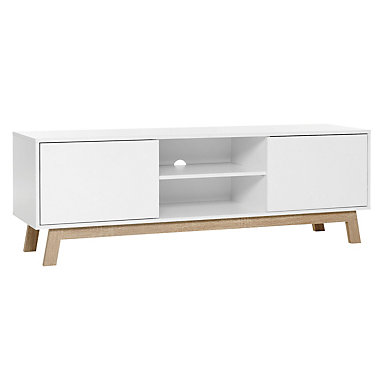
If you use a streaming box every day, an open central bay is worth a look. The Scandinavian TV Stand with 2 Doors combines white outer doors with open storage in the middle and a contrasting wood-tone base. Visually, it gives you a place for the equipment you reach for and closed fronts for the less attractive bits.
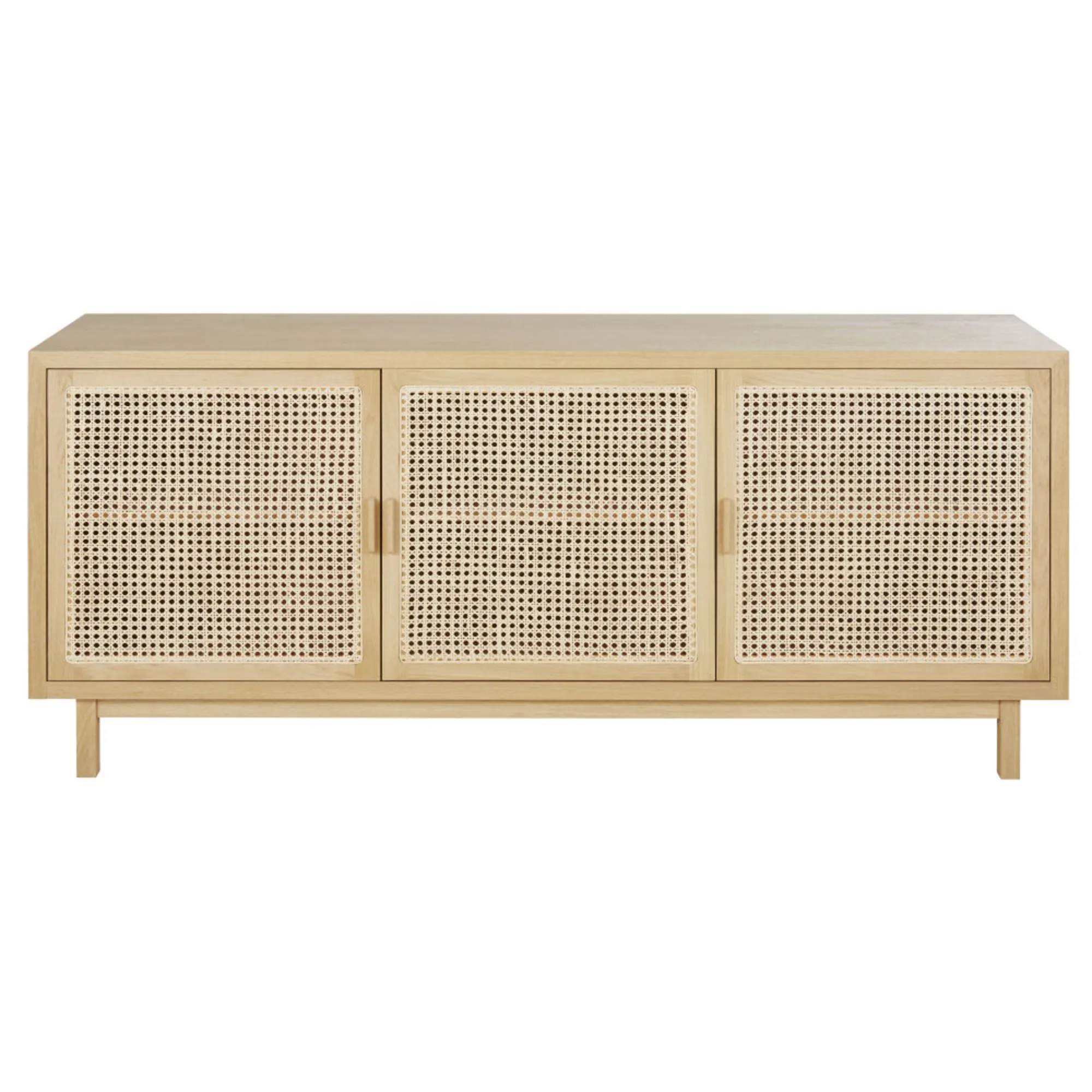
Prefer a quieter-looking wall? The Modern TV Stand with 3 Doors has three matching woven-look fronts. We like the repeated texture with a plain sofa or rug: it adds interest without needing lots of ornaments. Before choosing it for equipment storage, ask to see the inside. Those three fronts don't tell you the shelf layout or whether a particular device can operate behind them.
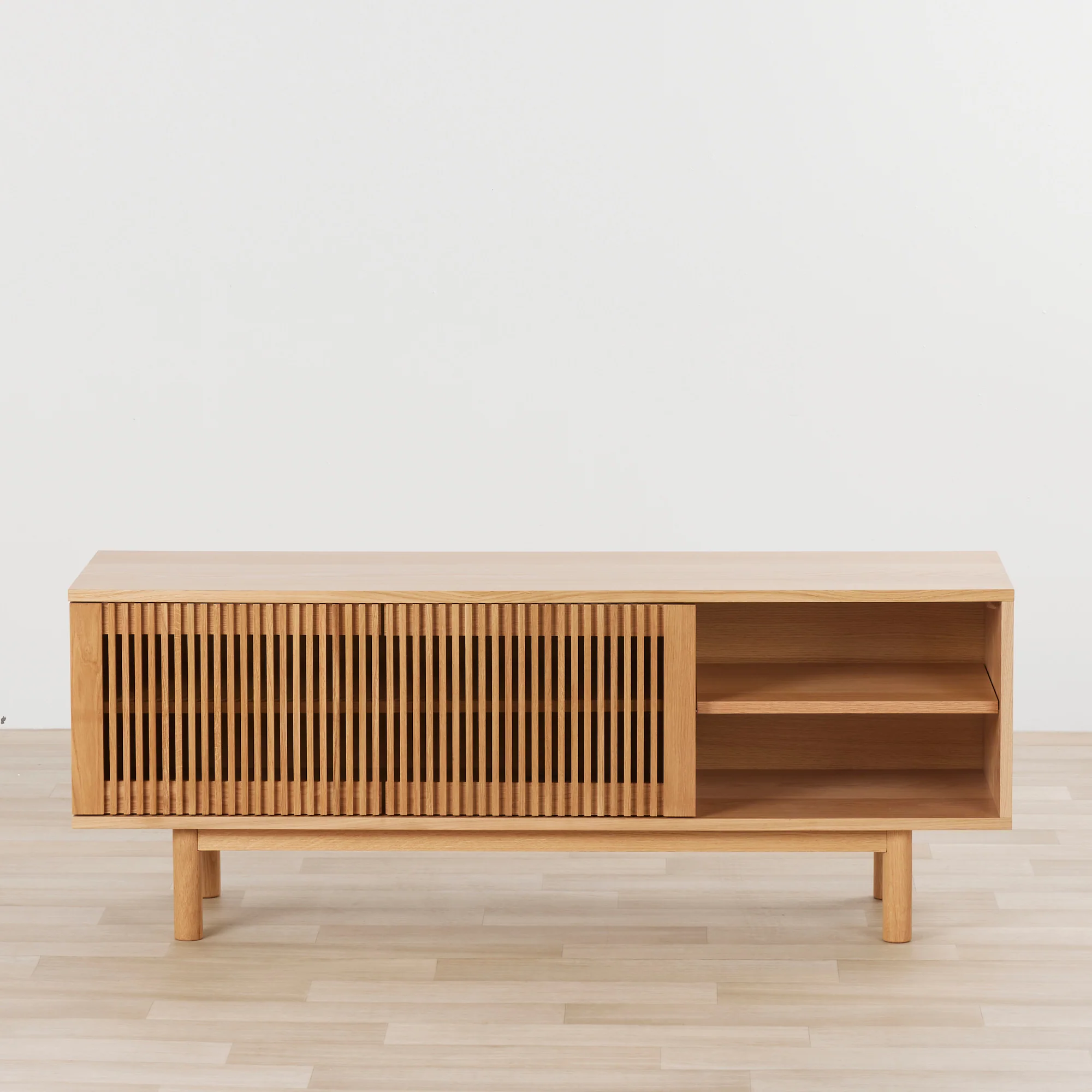
The Minimalist TV Stand sits somewhere between the two visually, with vertical slatted detailing alongside an exposed shelf bay. It's a useful starting point if you like texture but still want some open storage. Ask how the covered sections open, too; an attractive front is only half the story.
Measure the device with its cables plugged in
This is the small check we'd never skip. A console may fit inside a shelf until you connect the power and HDMI cables. Then the plugs and cable bends need space behind it.
Write down each device's width, height and depth, including connected plugs. Follow the device maker's ventilation instructions when comparing shelf openings. A shelf that just fits the box may still be the wrong home for it.
The Traditional TV Stand with 2 Sliding Doors shows circular cable openings behind its open central compartments. That's a useful detail to investigate: can your actual connectors pass through, and can you reach the sockets once everything is in place? A cable hole helps with routing; it doesn't tell you whether the compartment provides the ventilation your equipment needs.
Give the soundbar a proper spot
“Can't I just put the soundbar in front of the TV?” Sometimes, yes. Check that its height won't cover the bottom of the screen or the remote receiver. Check its depth against the space left by the TV feet as well.
If you're considering a shelf instead, follow the soundbar manufacturer's placement advice. Some designs need clear space around particular speakers. We wouldn't hide one behind a decorative front simply because it fits there.
Think about the room on an ordinary Tuesday
Use masking tape to mark the cabinet footprint on the floor. Walk past it, sit down, and check the route to the balcony or next room. Include space for opening doors and reaching equipment. Sliding doors change how you access the compartments, so check which areas remain reachable in each position.
Then consider cleaning. If you want to vacuum underneath, compare the clearance with your own cleaner, including any low rails. If you prefer closed storage, choose a place inside for spare remotes, controllers and cables rather than letting them collect on top.
A few questions before you choose
Will the remote work through a woven-look or slatted door?
Don't judge that from the pattern. It depends on the front construction and how your remote communicates with the device. Ask about the exact model and test the setup where possible.
Does a wood-tone finish mean solid wood?
No. Colour and grain describe what you see. For panel furniture, ask about the top, sides, fronts and surface finish separately. We'd also ask for care instructions, especially for a top that will hold drinks as well as electronics.
Which one would we shortlist?
For easy-to-reach equipment, we'd start with the Scandinavian two-door design. For a more consistent closed front, we'd look at the three-door woven-look design. For a mix of texture and open display, we'd compare the slatted Minimalist TV Stand.
Browse the Hometios TV stand collection with your equipment measurements beside you. If an important dimension is missing, ask us for the details. It's much easier to solve the cable puzzle before the cabinet arrives.
Ordering from Hometios
The minimum order quantity is 100 pieces per model per colour. Different models can be shipped together, with the minimum met for each model and colour. See quantity examples and prepare your sourcing brief.